
SharePoint 2010 Querying Data
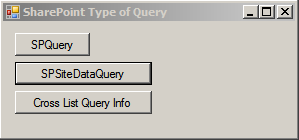
SPQuery Class used for query a data from a specific list and also used for join two lists.
SPSiteDataQuery: this class used for cross site query. Query a data within site collection or specific web.
Microsoft Definition:
You can use an instance of this class to retrieve data from selected lists or from all lists in the current site collection. Specify the scope of the query by setting the Webs property. Specify the lists to participate in the query by setting the Lists property and the fields to return by setting the ViewFields property. Control data selection and order by setting the Query property.
CrossListQueryInfo* (SharePoint Server) : This class only available in SharePoint Enterprise addition. For this you have to include Microsoft.SharePoint.Publishing namespace.
Microsoft Definition:
The CrossListQueryInfo object uses the CrossListQueryInfo object to get the cached results or, if there are no cached results available, it performs a cross-list query to the database and then caches the results for future use. Audience targeting is then applied to the result set, depending on the setting specified in the CrossListQueryInfo object. You can use the CbqQueryCacheobject to obtain a CrossListQueryInfo object for a specific Content by Query Web Part.
 CAML Query for SPSiteDataQuery and
CrossListQueryInfo are the same.
CAML Query for SPSiteDataQuery and
CrossListQueryInfo are the same.
- SPQuery Class
- SPSiteDataQuery Class
- CrossListQueryInfo* Class
SPQuery Class used for query a data from a specific list and also used for join two lists.
SPSiteDataQuery: this class used for cross site query. Query a data within site collection or specific web.
Microsoft Definition:
You can use an instance of this class to retrieve data from selected lists or from all lists in the current site collection. Specify the scope of the query by setting the Webs property. Specify the lists to participate in the query by setting the Lists property and the fields to return by setting the ViewFields property. Control data selection and order by setting the Query property.
CrossListQueryInfo* (SharePoint Server) : This class only available in SharePoint Enterprise addition. For this you have to include Microsoft.SharePoint.Publishing namespace.
Microsoft Definition:
The CrossListQueryInfo object uses the CrossListQueryInfo object to get the cached results or, if there are no cached results available, it performs a cross-list query to the database and then caches the results for future use. Audience targeting is then applied to the result set, depending on the setting specified in the CrossListQueryInfo object. You can use the CbqQueryCacheobject to obtain a CrossListQueryInfo object for a specific Content by Query Web Part.
Code Snippet
CAML Query for SPSiteDataQuery and
CrossListQueryInfo are the same.
Both SPSiteDataQuery and CrossListQueryInfo has a following attributes to get the results.
- Lists: Lists attribute is a type of string. It takes CAML query. That Query contains
- Base type
- Sever Template
- One more specifics List Ids.
- Webs: Webs attribute is a type of string. It takes CAML query as string. The query contains
- Current.web (if not specified)
- Current.web (if not specified)
- Site collection – all web and site collection
- Recursive – Current web and all child webs
Comments
Post a Comment